

Pros

-
 Affordable, stylish, good layout and UI, iFn lenses
Cons

-
 No in-built flash, no viewfinder, poor battery life
Design
Samsung NX100 review – Design


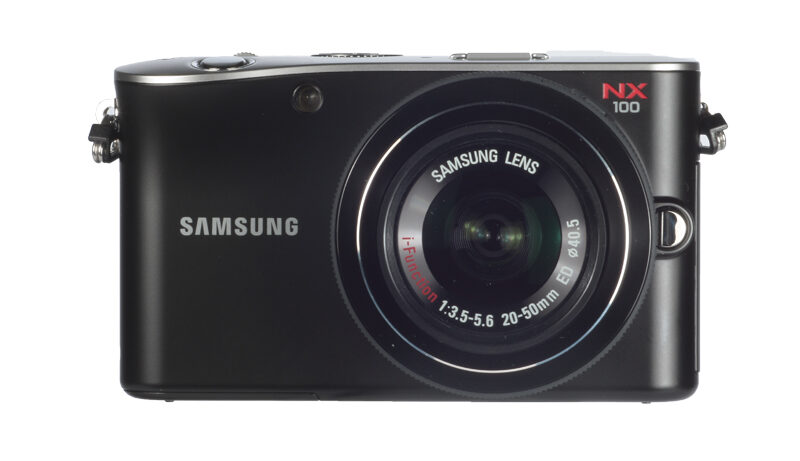
The look and feel of the NX100 is considerably different to the NX10 model, with the onus distinctly on its style. The body is a sleek, curved design and looks fantastic though, it has to be said, the overall size isn’t particularly different from the NX10 model. It seems an oddity that, without the viewfinder and flash units inherent in the design, its size wasn’t shrunk down to make for a more svelte model that would be more handbag or pocket-friendly.
Like a DSLR that has dual thumbwheels, the NX100’s design has a top thumbwheel and rear d-pad that doubles up as a rotational wheel for maximum control. The layout is good, with plenty of menu and function buttons to control the action as needed.

The interior menu option is where things step up a gear too: Samsung’s User Interface is up there with the best and the rear rotational wheel can be used to best effect to quickly cycle through options. It’s different to other camera systems and can take a little getting used to, but once there it’s on the money.
The NX100 is also the first NX-series camera to benefit from the new iFn lens system. This function-like button on the 20-50mm lens itself opens up the likes of Aperture, Shutter, Exposure Compensation and ISO options with each additional press (depending on which mode the camera is in). Then either the manual focus ring or rear rotational wheel provide the option to quickly select and apply these settings. It’s a great idea and very effective though, it has to be said, the greatest benefit from this is found when using the optional viewfinder (not included) as the camera needn’t come away from the eye.