
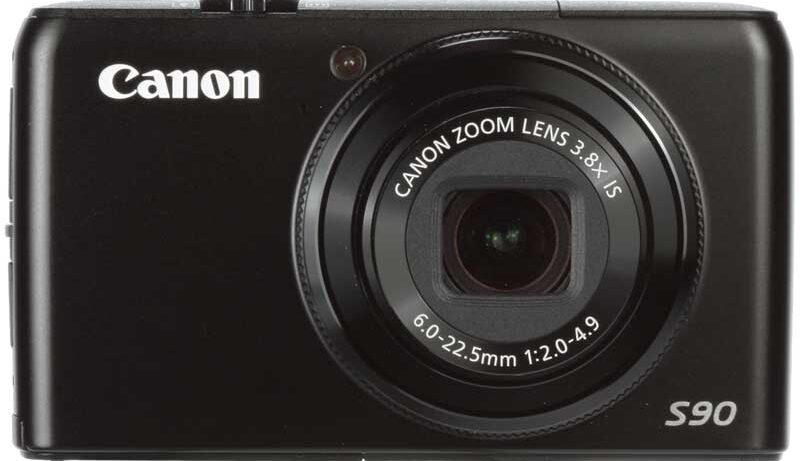

Ultimately, the appeal of this camera is that it is the smallest on the market to feature Raw capture, and a less pricey alternative to the G11 – which has an identical sensor. The expanded ISO range, fast lens and high-resolution LCD screen only add to its appeal, and though it’s not perfect – and at times frustrating to use – it is capable of superb image quality. Had it been any dearer it would have found itself in the uncomfortable position of competing with other high-end compacts or even Micro Four Thirds system cameras. The fact that it isn’t means it can occupy a more comfortable territory further down, and thus having a broader appeal. I have no doubt that the S90 will be a popular compact camera – for the simple reason that it deserves to be.
Pros

-
 Compact proportions, fast lens, lens control ring, Raw mode, good quality LCD screen, overall image quality, fast start-up
Cons

-
 Operation hampered by a few design issues, flash sometimes raised when not needed, some WB inaccuracies, mode dial stiff and slightly inaccessible
Design

The last few S-series models have adhered to a similar design, however the S90 strays from the herd somewhat. Gone is the sliding lens cover, replaced by a more simple streamlined design similar to Sigma’s DP range, with a reassuring build quality.
The ring around the lens, which on other compacts is sometimes used for mounting conversion lenses, may be rotated to adjust a number of functions, including the zoom, focus, sensitivity and white balance. Although quite simple in concept, this is perhaps one of the most ingenious uses of space on any recent compact.
The button for switching between the S90’s different customisations, however, is placed where we’d logically expect to find the power button. Granted, the power button is right next to it, but it’s much smaller and, considering the frequency with which it is used, it isn’t entirely comfortable to reach with your shooting hand. It’s also a little annoying that the mode dial is both small and a little stiff, and the raised area behind it on the back allows for little purchase with the thumb when used.
Should you wish, you can assign a custom function to the ‘S’ button for quick access, while rotating the menu pad during shooting allows you to adjust a particular setting such as exposure compensation or shutter speed in fine increments. Although I found this way of working effortless, I also found that the dial’s looseness meant that I would often unwittingly adjust this – shifting the exposure up or down by a 1/3EV stop or so, for example – only noticing after I had taken a few images.

View more Canon Powershot S90 sample images