
Samyang 21mm f/1.4 ED AS UMC CS Review – Test Results
Resolution

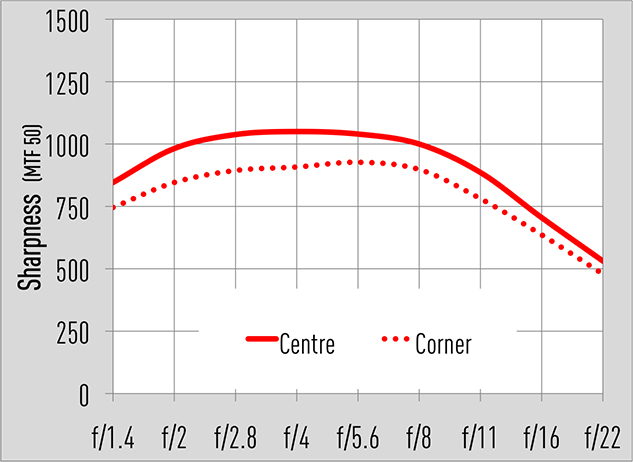
The resolution of this lens is extremely impressive as is clearly illustrated in our Applied Imaging tests. The graph tells us the sharpness in the centre at f/1.4 is excellent and only gets better when it’s closed to f/5.6. Users can be confident of closing the lens down to f/11 when needed. Beyond f/11 the centre and corner sharpness drops due to the introduction of diffraction, so it’s recommended to avoid f/16 and f/22 when it’s possible to do so.
Shading
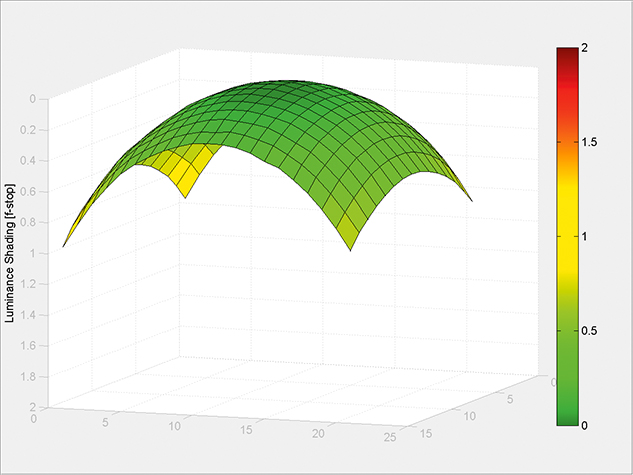
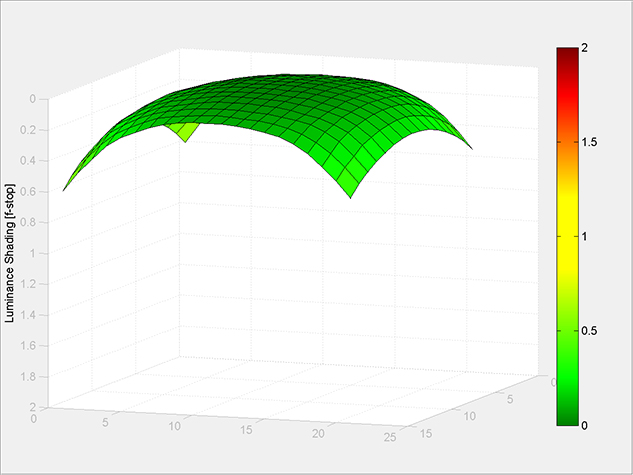
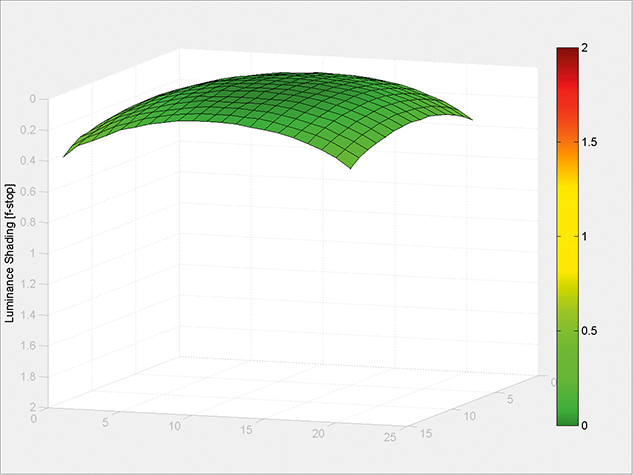
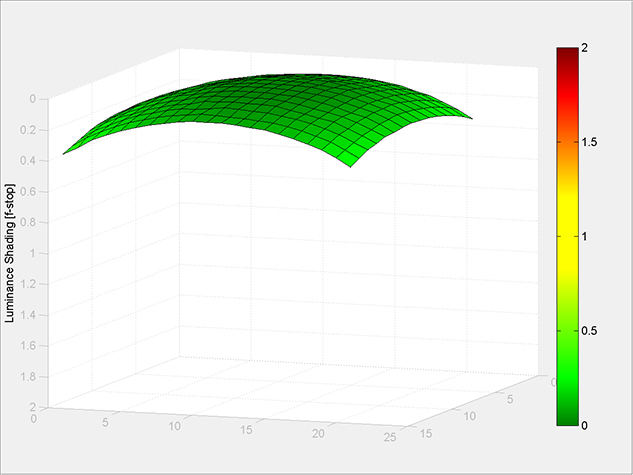
The key attraction of this lens is its fast aperture and users will find themselves exploiting it to create an extremely shallow depth of field. Corners appear approximately 1EV darker than the centre of the frame at f/1.4. Stopping the lens down to f/2 sees an immediate improvement and by the time you reach f/2.8 all traces of vignetting disappear.
Curvilinear distortion
The lens puts in a superb performance when it comes to rendering straight lines. Those who want an entirely distortion-free image will do best to install and use a ready-made lens profile rather than attempting to remove it manually, which could increase the risk of introducing pincushion distortion.