

Pros

-
 GPS system can work well (if tended to), excellent LCD, price, overall image quality
Cons

-
 GPS can deliver erroneous results (and sometimes none at all), build quality
Design
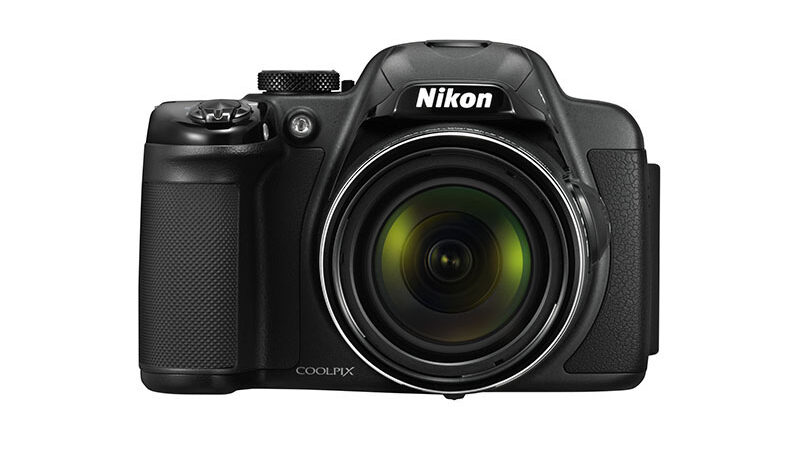
Nikon COOLPIX P520 review – Design

The Nikon Coolpix P520’s differs from many of its peers by having a relatively lightweight and glossy plastic body. While the former is clearly an advantage from the perspective of portability, its finish won’t be to everyone’s taste. Still, there’s plenty to admire, from the knurled mode dial and the ease with which the menu pad dial turns, to the generous use of rubber around both the grip and thumb rest.
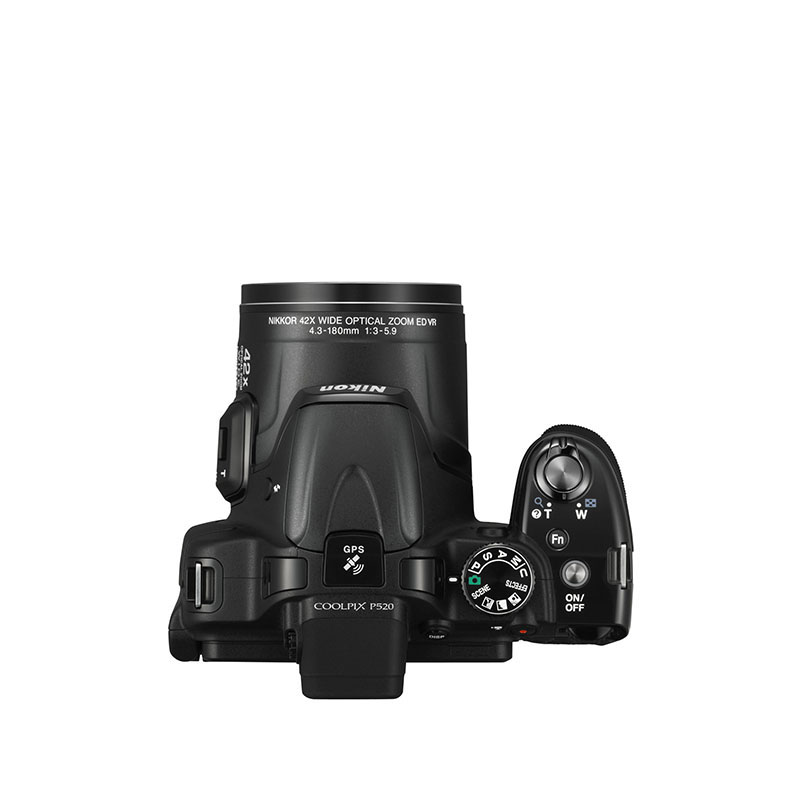
The Fn button located on the Nikon P520’s top plate just beneath the shutter release button is excellently placed for accessing a key control of the user’s choosing, such as ISO, metering mode or Vibration Reduction, while the command dial at the rear is well defined from the back plate – not something every such model can claim.
The Nikon Coolpix P520 can have its zoom controlled by the collar around the shutter release as well as the rocker on the side of the lens barrel. The benefit of the latter is debatable, as only rarely would you take an image without your hand around the grip (and thus, in reach of the shutter-release zoom collar). Far better is to assign a different option to this control, such as manual focus.