
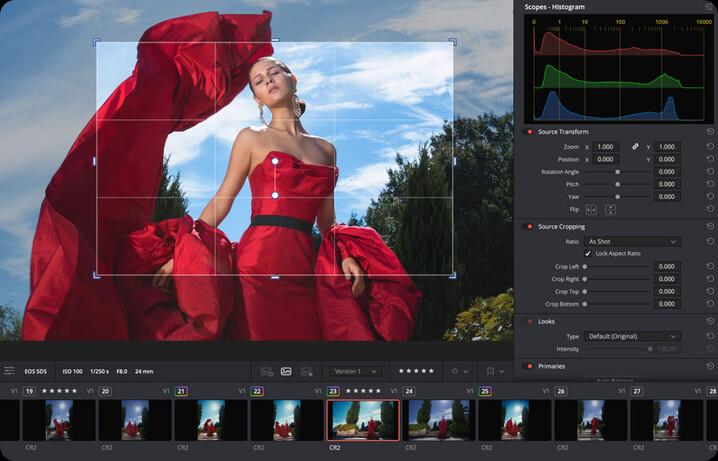


Blackmagic Design, the maker of DaVinci Resolve, is offering new and existing users a series of free training sessions aimed at filmmakers, videographers and stills photographers to help them get the most out of application and its new features. Held online in 90 minute sessions the training will be held across six sessions on Friday afternoons in September, October and November. While covering the software package in general, there will be also be a focus on the new features, such as the stills page designed to be a Lightroom replacement for stills photographers, additional motion graphics effects, advanced search and the many new AI tools that have arrived with the 21st version of the application.
The course begins with a session aimed at those completely new to, or without much experience of, the programme, which will cover all that users need to know to get started. The main tools will be introduced and users will be shown best practice for importing, organising and workflow while editing in the timeline. While the session is aimed at users of the paid DaVinci Resolve Studio 21 version the vast majority of things covered in the session will apply equally to the free version as well.
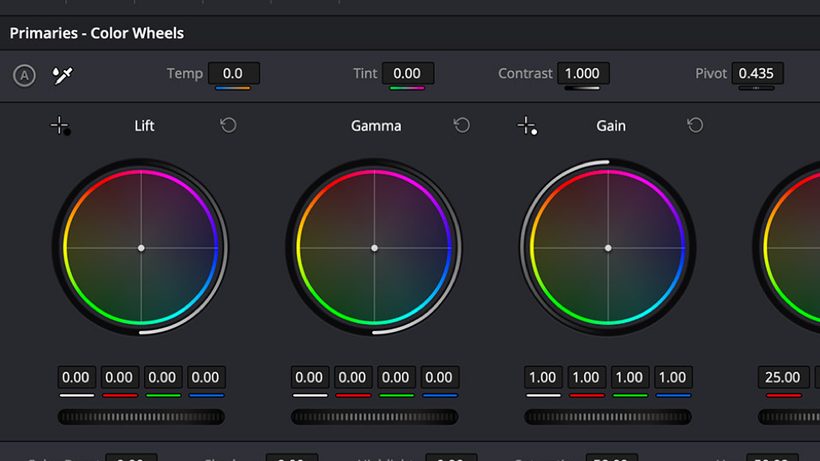
The second session will appeal to particularly to stills photographers, or videographers wanting to know more about processing still images, as Blackmagic introduces its new Photo Page. This recent addition to the software aims to offer a free alternative to Adobe’s Lightroom with extensive editing options for Raw and JPEG files, file organisation and colour grading. Blackmagic says one of the advantages of using DaVinci Resolve will be that those shooting stills and video will be able to ensure a consistent look across all their moving and still pictures because they will have been worked on using the same software.
As the sessions progress the company will use the hour and a half training slots to help users get the most out of the colour editing and grading features the programme is well known for, and there will be sessions designed to assist those already working in other programmes to make the switch to Resolve.
The extensive audio controls of the Fairlight page will be covered later in the series will help for voice isolation, noise reduction and audio enhancement, and the last session, held in November, will specifically look at how the AI tools built-in to the application will be able to help clean-up images, create effects in motion and stills pictures, and generally speed up the production process by automating tasks we’d usually have to deal with manually.
Users will need to register in advance for the sessions using the link below the descriptions. For more information about DaVinci Resolve see the Blackmagic Design website, and to access the company’s other extensive instructional videos about using the tools of the programme offers see the DaVinci Resolve training page.
Information from Blackmagic Design
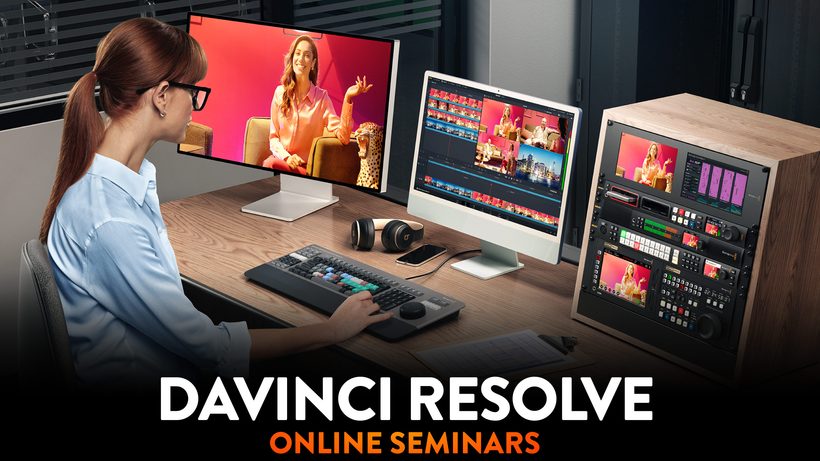
Join Blackmagic Design for a series of free online seminars for DaVinci Resolve 21! Our latest release includes the new Photo page, over 100 new motion graphic effects and 50 new features. New AI tools include IntelliSearch for fast content searching, CineFocus for focal point adjustment and more! These six free 90 minute online seminars are ideal for filmmakers, editors, colorists and VFX artists, with something for both new and experienced users of DaVinci Resolve. This is your chance to refine your creative skills, learn new techniques and get valuable insights from the best in the industry!
Friday 18th September 14:00 (BST)
DaVinci Resolve for New Users
This introductory seminar will help you get started with the world’s most powerful post production software! This session will guide you through all the pages of DaVinci Resolve Studio 21, giving you a solid foundation for creating professional content across your productions.
Friday 25th September 14:00 (BST)
Creativity from Photo to Video
Whether you’re a filmmaker interested in stills, or a photographer expanding into video, this session will show you how to use DaVinci’s color tools for photos. Learn how to organise and edit images, and use AI-powered color and cinematic effects to integrate still images into your projects.
Friday 23rd October 14:00 (BST)
Color Fundamentals for Editors
An essential workshop for editors to learn color fundamentals using Hollywood’s most advanced color tools! Learn how to balance and match media from different cameras, then begin the creative grading process to create unique looks, working in both layers and nodes.
Friday 30th October 14:00 (GMT)
Switching to DaVinci Resolve
Designed for editors switching to DaVinci Resolve, this seminar will cover the overall layout and organization of tools. Building on your existing editing knowledge, you’ll learn how to organise media, prepare timelines and build collaborative projects that your whole team can share.
Friday 20th November 14:00 (GMT)
Workflows from Camera to Delivery
Follow a complete post production workflow from import to delivery. Learn how to organise and manage your media, then edit and grade Blackmagic RAW camera original media. Finish by mixing the audio and delivering your project, all without leaving DaVinci Resolve.
Friday 27th November 14:00 (GMT)
Work Smarter with AI Tools
Discover powerful DaVinci AI Neural Engine tools including Object Removal, IntelliScript, IntelliSearch, Magic Mask, Voice Isolation and cinematic effects. You’ll learn how these tools can take care of repetitive, time consuming tasks, giving you more time to focus on creative editing.