




Learn how to tell if you've got your exposure correct in our guide to histograms
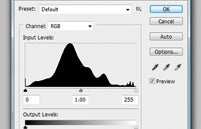
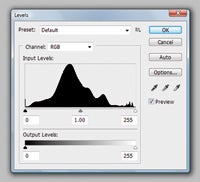
A histogram is a graphical representation of the tones within an image. The left-hand side of the scale corresponds to shadows, while the right-hand side shows highlights, which leaves the midtones between the two. Today, they can be found in professional DSLRs and cheap point-and-shoot cameras alike, which is perhaps just as well since they’re so often recommended for achieving correct exposure.
The data displayed within them gives the photographer an indication as to how a scene will record. This may seem a little odd when an LCD screen is there to essentially do the same thing, but a number of factors can influence how an image appears on a camera’s LCD, such as its brightness or whether an ambient light sensor is constantly tailoring the display to the shooting conditions. Histograms are independent of these factors, and so they give the user a better idea of what the camera is actually capturing rather than displaying.
Too much information bunched up to either side can indicate that there is an uneven amount of either shadow or highlight detail being captured, and the usual advice is to adjust the exposure until the weighting is more centred. Not all scenes contain plenty of midtone detail with an equal amount of shadows and highlights, and so a bias to any one side does not necessarily mean that the exposure is wrong, but the camera will attempt to provide a balance between all three.
However, if one of the extremes shows a high reading then information is likely to be lost. Some of this information may be recovered from Raw files, but, particularly in highlights, this detail may be irreversibly lost.
Any global image-processing adjustments are likely to affect the image’s corresponding histogram. For the majority of subjects histograms will be smooth in shape, but too much processing can leave certain areas spiked, which indicates that information has been lost and tonality has been compromised. This is known as posterization. For this reason, editing should be performed on images that have plenty of information to begin with, ideally Raw files. This maximises the chance of an image retaining a visually pleasing appearance, whenever any editing causes detail to be lost.