




When Adobe Camera Raw was first introduced it sat squarely in the middle of the raw conversion process. Opening a raw file into Photoshop would display the ACR dialogue, here you would adjust the conversion settings before finally opening the resultant file into Photoshop. This workflow changed in Photoshop CS2 as this version introduced the ability to open raw files into Adobe Camera Raw straight from Bridge. Whatu2019s more, the settings for the conversion can now be applied to the photo without ever opening the picture in Photoshop.
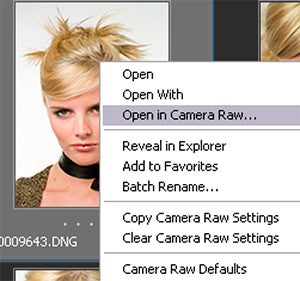
01 When a raw file thumbnail is selected inside Bridge the Open in Camera Raw option appears on the right-click menu. Select this entry if you want to process the file without opening Photoshop.
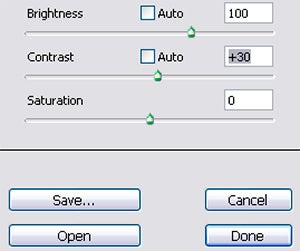
02 Once you have adjusted the conversion settings inside the Adobe Camera Raw dialogue choose the Done button at the bottom right of the screen. This will apply the conversion settings and update the pictures thumbnail but will not open the picture into Photoshop.
In Photoshop:
Pick the Open in Camera Raw option from the right-click menu in Bridge
In Photoshop Elements:
This option is not available for Photoshop Elements users