




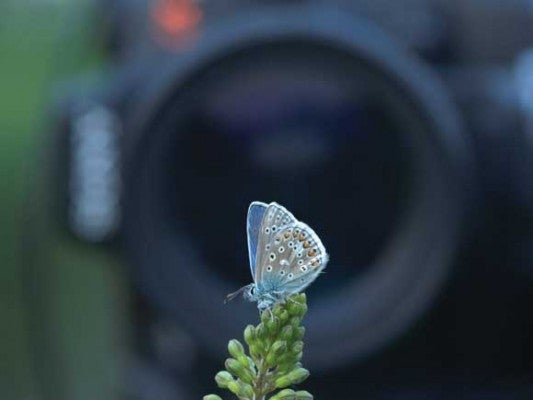
1. Choose the Best Lens Option
The focal length of Macro lenses ranges from 50mm to 200mm. Although many zoom lenses boast a macro setting, these are usually less than half life-size magnification – true macro, however, begins with 1:1 and nothing less. A 50-60mm lens is suitable for general macro work but if you want greater subject-to-lens distance a 100mm lens will give you this at a price. For creatures like butterflies and dragonflies, lens-to-subject distance becomes even more important so focal length needs to be greater. The 150-200mm range is the most expensive, but you will appreciate the extra power when stalking flighty subjects like this Gatekeeper butterfly.
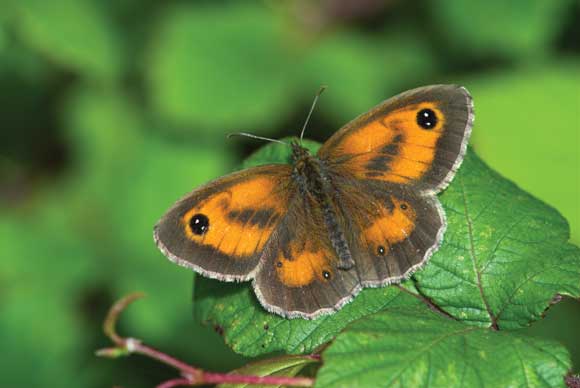
Gatekeeper butterfly. Nikon D200, Nikon 200mm macro lens. 1/160sec @ f/8, ISO 100.
1. Choose the Best Lens OptionTop 12 Tips for Macro Photography - Make a Standard Zoom Focus CloserTop 12 Tips for Macro Photography - Add a Dioptre to Make a Lens Focus CloserTop 12 Tips for Macro Photography - Use Apertures to Control Depth of FieldTop 12 Tips for Macro Photography - Blend Flash with AmbientTop 12 Tips for Macro Photography - Use a Third HandTop 12 Tips for Macro Photography - Fine-tune Macro Pattern CompositionsTop 12 Tips for Macro Photography - Point of FocusTop 12 Tips for Macro Photography - Check LCD PanelTop 12 Tips for Macro Photography - RaindropsTop 12 Tips for Macro Photography - BackgroundsTop 12 Tips for Macro Photography - Butterflies