




How To Shoot… Subjects in Motion
The more detail our cameras are able to resolve, the greater our appetite, it seems, for ‘creative blur’. When I helped to judge an international nature photo competition in Italy, the percentage of deliberately blurred images was impressive.
This reaction against the literalism of regular photography reflects a wish to show things in ways people don’t normally see them, perhaps to encourage them to look anew at familiar subjects. Blur is a form of visual shorthand where there is scope for the viewer to fill in the details of the subject’s identity: the pictures are more involving.
Anyone can take a blurred picture. Many of us do so unintentionally, and then find we have an interesting image as a result. The trick is to learn how to control blur through a combination of camera, subject and photographer movement, as well as understanding their interplay with shutter speed and supplementary lighting. While one or two of my blurry images come from my slide archive, the majority are made digitally, where the opportunities to refine a look at minimal expense are far greater.
This experimental aspect of blur photography is a large part of its fun and the lack of repeatability makes each frame unique. With at least three variables in play at any one time – subject movement, shutter speed and how the camera is moved (if at all) – there is scope for infinite subtle distinction between each frame in a sequence. So, take plenty and don’t be afraid to make a rough in-camera edit as you go along. While ‘chimping’ isn’t generally a good idea, frequent reference to the captures you’ve made already will help identify what’s working and what’s not, more quickly.
Motion blurring, as opposed to defocus effects, is more plausible when used to portray subjects that naturally move. Blur can emphasise speed or dynamism and that’s just not appropriate with, say, a boulder. Having said that, many people enjoy making blurred images of trees by moving the camera up or down during the exposure, in harmony with the subject’s form; lateral panning during the exposure rarely works. Deliberately blurred photographs rely on strong compositional structure to hold them together much more so than sharp images do; a lot of blending of form, texture and colour is happening already and therefore the need for strong, obvious shapes is heightened if the picture is to be deciphered by the viewer.
Aside from the obvious portrayal of motion, blurring can also lend a subject an emotional dimension; with its identity ill-defined, it becomes more mysterious and intriguing.
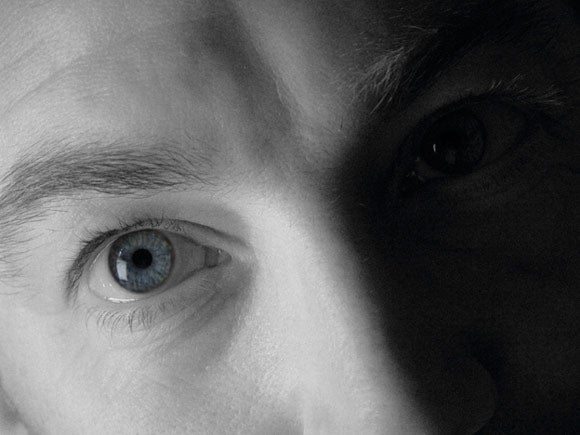 I am especially keen on portraying people in a landscape this way because if you show someone in detail, the viewer can build a story round them with the setting taking second place. If, however, they are unrecognisable, they become part of that landscape, a mere presence moving through it. It also saves the need for model release forms!
Motion at Night
We move into different emotional territory during the very long exposures needed as it gets dark – and the scope, by default, to represent movement. The latest generation of DSLRs have superb low noise capability and once cranked up to ISO 1000 exhibit (in a well-exposed shot) no more image noise than an ISO 200 image shot with an older camera.
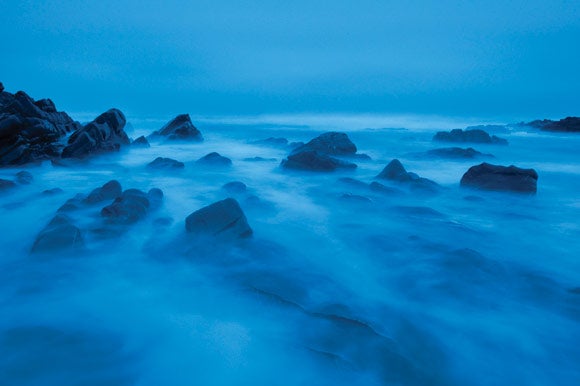
Leave the shutter open for 15 or 20 seconds and you can shoot when it is too dark to see clearly. Skies will typically acquire a strong blue cast, sympathetic with that time of day, and the effect is particularly attractive when there are reflective surfaces such as waves or pale pebbles to borrow this cool cast. Most fascinating of all is to see the form that moving subjects – especially moving water – acquire during these long exposures, and how that varies between shots.
Within urban areas long shutter speeds present endless opportunities to convey subject movement, with the light trails left by moving traffic and the spinning lights of fairgrounds proving to be popular subjects.
We often hear people comment, favourably, that a painting looks like a photograph. Well, here is our chance as creative photographers to get our own back and make pictures that have a quality of distance from our normal visual experience, and in possession of an emotional content only ever found in the very best paintings.