




Review of the Canon Pixma MP190 printer and scanner
Canon Pixma MP190
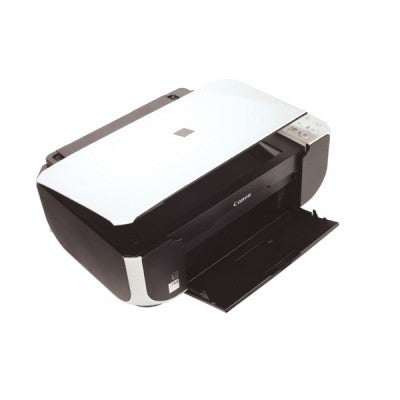
This printer is a small, neat package and simplicity itself. Setting up the unit is a fast process: after unpacking, just fit the two cartridges (a black No. 37 and a tri-colour No 38). 
The MP190 can be used as a copier straight away without having to first connect up to a computer.
The controls include:
Power on,
Number of copies (1-9)
A4 plain paper
A4 or 10x15cm photo paper
Black copy
Colour copy
Scan tools
Cancel print.
The scanner has a resolution of 600 x 1200 dpi, which is more than sufficient for copying photographic prints and other printed materials.
Colour photographic printing is satisfactory but nothing special.
Using Canon Photo Paper Plus Glossy the prints lack the punch we all associate with Canon printers.
The printer was very slow, taking over three minutes to produce an A4 print at the high quality setting.
Features 16
Design 17
Print Quality 17
Scan Quality 18
Value 18
Verdict
The MP190 is good value for money, but for quality photographic printing we will have to look to Canon's higher-end models.
Details
Ink System:Black, Cyan, Yellow, Magenta
Resolution:4800 x 1280dpi